
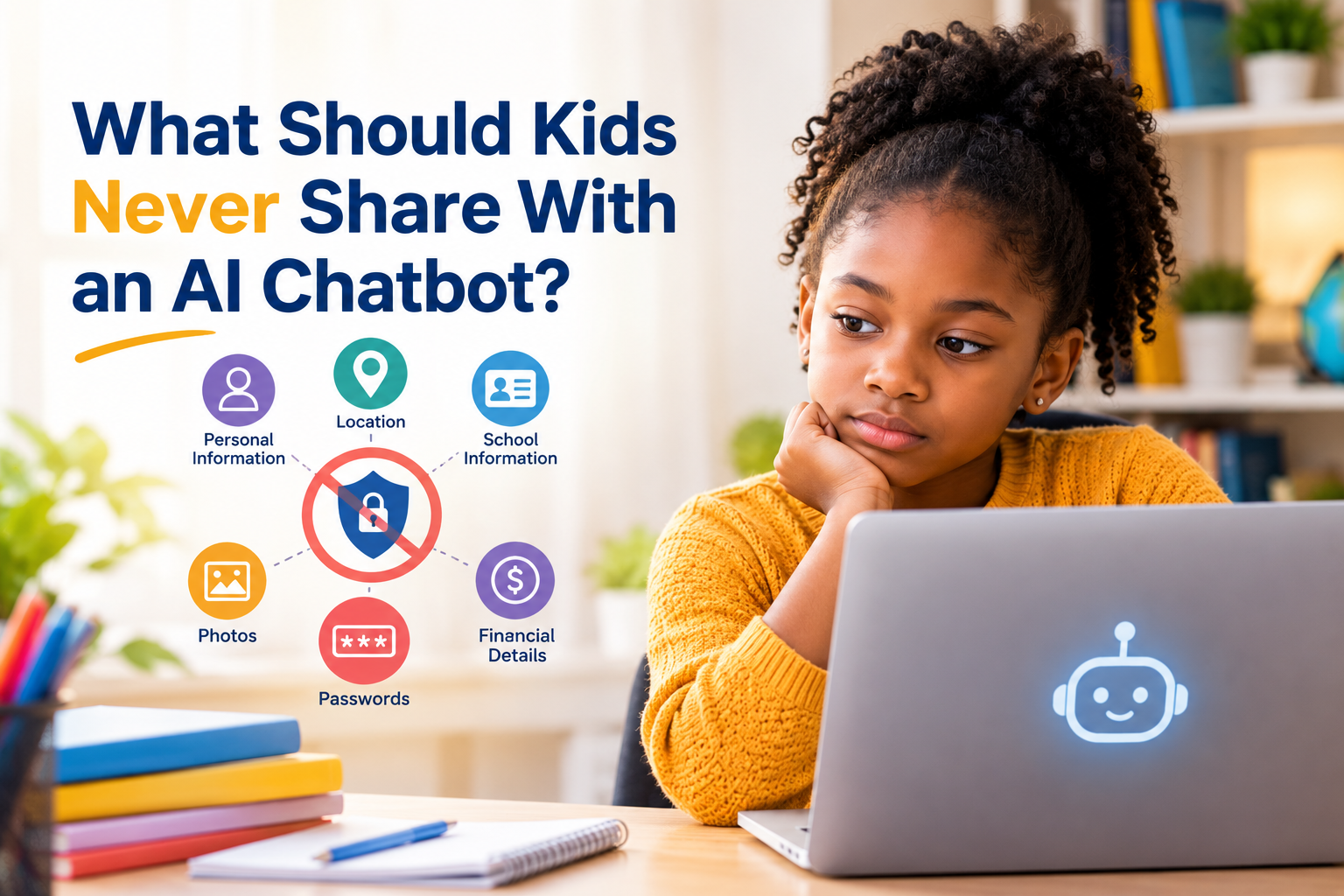
A Parent’s Guide to AI Privacy and What is Right to Share with an AI Chatbot
AI chatbots can help children explain difficult homework, brainstorm ideas, practice a language, create stories, answer questions, and explore subjects they are curious about.
But there is another side of AI that parents need to talk about: what children tell it.
A child may not think twice about typing:
“My name is Emma, I’m 12, I go to Lincoln Middle School, and my family lives at…”
Or:
“My mom and dad are away until Friday.”
Or:
“Here is a picture of my school ID. Can you tell me what it says?”
To a child, these may feel like ordinary details.
To a privacy-conscious parent, they are red flags.
The challenge is that AI chatbots can feel unusually personal. They respond immediately. Remember the context of a conversation in some systems. They may also sound friendly, patient, and nonjudgmental.
That can make children more comfortable sharing things they would normally keep private.
UNICEF’s guidance on AI and children identifies protecting children’s data and privacy as one of its core requirements for child-centered AI. UNICEF has also warned that children increasingly use AI systems for information, advice, and support—and may disclose personal or intimate information in those conversations.
So what should parents actually teach?
The answer is not simply “Never talk to AI.”
It is:
Use AI, but protect your personal information.
The Simple Rule Every Child Can Remember
If you want one rule that is easy enough for a child to remember, start here:
Don’t put into an AI chatbot anything you would not want a stranger, teacher, classmate, or unknown company to know.
That does not mean every AI conversation is public.
It means children should develop the habit of thinking before sharing.
A chatbot is a tool—not a best friend, therapist, parent, teacher, or secret-keeper.
And even when an AI system appears trustworthy, children should not assume that everything they type is automatically private.
Parents should teach children to ask:
“Does this person—or this AI tool—actually need to know this?”
Usually, the answer is no.
1. Full Name and Identifying Information
A child’s first name alone is usually not the biggest concern.
But a child’s full name combined with other identifying information can become much more sensitive.
For example:
- Full legal name
- Date of birth
- Home address
- Phone number
- Personal email address
- Parent’s name
- School name
- Teacher’s name
- Username
- Other identifying details
One piece of information may seem harmless.
Several pieces together can create a much clearer picture of who the child is.
Teach your child:
“You don’t need to tell AI exactly who you are to get help.”
Instead of:
“I’m Sarah Johnson, a 13-year-old at Jefferson Middle School.”
A child can simply say:
“I’m a middle-school student.”
That is usually enough context for an explanation or homework question.
2. Home Address
A child’s home address should be treated as private information.
That includes:
- Street address
- Apartment number
- Neighborhood combined with other identifying details
- Directions to the house
- Photos showing the home’s address
- Information about where the family lives
A child might accidentally provide an address while asking an AI to help write an invitation, describe a neighborhood, plan a route, or create a story.
Teach children that an AI does not need their exact home location to help with most everyday questions.
Instead of:
“I live at 123 Main Street. What should I do around my house?”
Use:
“What are some fun activities families can do at home?”
The second question provides enough context without revealing the family’s location.
3. Phone Numbers, Email Addresses, and Contact Information
Children should also avoid entering:
- Their personal phone number
- Their parent’s phone number
- Personal email addresses
- Friends’ phone numbers
- Teachers’ personal contact information
- Private social-media handles
This is especially important when a child is asking AI to write or edit a message.
They can use placeholders.
For example:
“Write an email to my teacher explaining that I was sick.”
There is no need to provide the teacher’s personal phone number or email address.
The child can simply write the message and add the recipient information later.
4. Passwords, PINs, and Login Information
This one should be an absolute never.
Children should never give an AI chatbot:
- Passwords
- PINs
- Verification codes
- Security answers
- Account recovery codes
- Banking login information
- Game-account passwords
- School-account passwords
Not even if the chatbot says it can help.
Not even if the child is trying to troubleshoot an account.
And, not even if the child believes the information is harmless.
Make this rule very simple:
AI never needs your password.
If a child needs help with an account, they should use the service’s official support or account-recovery process.
5. School Information That Identifies Them
School-related questions are often perfectly appropriate for AI.
But children should be careful about how much identifying information they include.
For example, there is a major difference between:
“Explain photosynthesis for a seventh-grade student.”
and:
“I’m Alex Carter at Jefferson Middle School in Virginia. My teacher Ms. Brown assigned this to me. Here’s a picture of my student ID and class schedule.”
The first provides useful context.
The second provides far more personal information than the AI needs.
Children should be especially cautious with:
- Student ID numbers
- School ID cards
- Class schedules
- Bus routes
- Teacher contact details
- School account credentials
- Private school documents
- Disciplinary records
- Individual education documents
- Documents containing other students’ information
The general principle is simple:
Give AI the educational context it needs—not your child’s identity.
6. Exact Location and Daily Routine
Parents should also teach children not to share detailed information about where they will be and when.
For example:
“I walk home from Jefferson Middle School at 3:15 every afternoon, and my parents don’t get home until 6.”
That is far more information than an AI needs to answer most questions.
Likewise, children should avoid sharing details such as:
- When the house is empty
- When parents are traveling
- Where the family will be on vacation
- Exact daily routines
- Regular transportation patterns
- Places they visit alone
- Their live location
This is a good opportunity to teach a broader digital-safety lesson:
Your location is information about you. Treat it like personal information.
7. Family Secrets and Private Family Problems
Children sometimes turn to AI when they are confused, embarrassed, upset, or worried.
That makes this category especially important.
A child might type:
“My parents are fighting about money.”
Or:
“My dad is getting divorced.”
Or:
“My mom has a serious problem and doesn’t want anyone to know.”
There is a difference between asking an AI for general information and revealing highly specific family circumstances.
For example:
“Why do parents sometimes argue?”
is very different from:
“My parents are fighting because my dad lost his job, our house is worth $___, and they are getting divorced.”
Children need to understand that they do not have to provide every personal detail to receive general guidance.
A useful rule:
Ask the question without telling the whole family story.
8. Financial Information
Financial information should stay private.
Children should never enter things such as:
- Credit-card numbers
- Debit-card numbers
- Bank-account numbers
- Banking passwords
- Payment information
- Financial account screenshots
- Gift-card codes
- Tax information
- Social Security numbers
- Other government identification numbers
A child may not understand the importance of some of these details.
That is why parents should make the rule straightforward:
Money information stays out of chatbots.
If an AI is helping with a math problem involving money, children can use fictional numbers.
For example:
“If someone earns $500 and spends $125, how much remains?”
There is no reason to use actual family finances.
9. Medical, Mental Health, and Other Highly Sensitive Information
This area requires more nuance.
Children should be able to ask AI general health questions.
For example:
“Why do people get headaches?”
or:
“What are common symptoms of a cold?”
But they should be careful about entering highly identifying or sensitive medical information.
That can include:
- Medical records
- Insurance information
- Prescription details connected to their identity
- Medical ID numbers
- Highly sensitive diagnoses
- Detailed private family medical histories
- Sensitive mental-health information that identifies the child or another person
AI can provide general information, but it should not replace a parent, doctor, counselor, or other qualified professional when a child needs real-world help.
And when a child is dealing with something frightening, dangerous, or deeply personal, a trusted adult should be part of the conversation.
UNICEF has specifically noted that children may turn to chatbots for advice and support, even though these systems may not be designed to safely handle situations involving serious distress.
10. Secrets, Confessions, and Things They Wouldn’t Tell Anyone Else
This may be the most important lesson of all.
Children can easily begin treating an AI chatbot like a diary.
It doesn’t interrupt.
Doesn’t look shocked.
It doesn’t laugh.
It responds instantly.
That can make it feel safe to disclose things.
But parents should explain:
Feeling comfortable with an AI does not mean you should tell it everything.
Children should not use an AI chatbot as a secret vault for:
- Family secrets
- Confessions
- Private information about friends
- Romantic or intimate conversations
- Information about abuse or dangerous situations
- Someone else’s private information
- Things they would be devastated to see exposed
And if something serious is happening, the answer isn’t to tell the chatbot more.
The answer is to tell a trusted human being.
What About Photos?
Parents should include photographs in the conversation about AI privacy.
Children may think:
“I’m not typing anything private, so I’m safe.”
But pictures can contain enormous amounts of information.
A photo might reveal:
- A child’s face
- School uniform
- School name
- Student ID
- Home address
- Street signs
- Location
- Family members
- Documents
- Medical information
- Personal possessions
- Other children
Before uploading a photo to an AI tool, teach children to ask:
“What can someone learn about me from this picture?”
That single question can prevent many accidental disclosures.
What About Information About Other People?
Privacy isn’t only about protecting your child.
Children should also learn not to share other people’s private information.
That includes:
- A friend’s phone number
- A friend’s address
- Private messages
- Screenshots of conversations
- A teacher’s personal information
- Another child’s embarrassing photo
- Private family information
- Personal documents
Teach children:
Someone else’s private information belongs to them—not to you.
This is an important part of digital citizenship.
“But It’s Just ChatGPT”
Parents may hear:
“It’s just ChatGPT.”
Or:
“It’s just an AI.”
That is precisely why children need to understand the difference between friendly conversation and privacy.
A chatbot can sound remarkably human.
It can say things like:
- “I understand.”
- “That sounds difficult.”
- “You can tell me.”
- “I’m here to help.”
Those responses can be useful conversationally.
But the system is still a technology service.
Children should not interpret a warm conversational style as proof that something is a private, confidential relationship.
Recent work from the Federal Trade Commission has also focused on how AI chatbots can simulate human-like communication and relationships and how that may influence children and teens to trust them or share sensitive information.
The “Would I Tell a Stranger?” Test
Here’s a simple test parents can teach younger children.
Before typing something personal into an AI chatbot, ask:
Would I tell this information to a stranger?
If the answer is no, don’t type it.
A second question can make the lesson even stronger:
Does the AI actually need this information to answer my question?
If the answer is no, leave it out.
For example:
Question:
“Can you help me understand fractions?”
Does AI need your full name? No.
Your address? No.
Your phone number? No.
Your school ID? No.
Your password? Absolutely not.
The child can get the same educational help without revealing any of those things.
A Better Way to Ask AI Questions
One of the best privacy skills children can develop is learning how to remove identifying details while keeping the useful context.
Instead of:
“I’m 11-year-old Jason Miller and I go to Lincoln Elementary. My teacher Mrs. Smith gave me this assignment…”
Try:
“I’m an elementary-school student. Can you explain this assignment in simple language?”
Instead of:
“My friend Emma lives at 24 Oak Street and…”
Try:
“My friend is having a disagreement with me. How can I handle it?”
Instead of:
“My parents make $90,000 a year and…”
Try:
“Can you explain how a family might create a budget?”
The goal isn’t to make children’s AI conversations useless.
It’s to make them privacy-smart.
The Difference Between Personal and Private
Parents may find it helpful to teach two categories.
Personal information
Information that identifies or describes you.
Examples:
- Name
- Age
- School
- Location
- Phone number
Private or sensitive information
Information that could cause harm, embarrassment, exploitation, or unwanted exposure if mishandled.
Examples:
- Passwords
- Financial information
- Medical information
- Family problems
- Private conversations
- Photos
- Secrets
- Information about someone else’s personal life
Children don’t need to memorize complicated privacy policies.
They need to recognize that some information carries more risk than other information.
What Parents Should Do About AI Privacy Settings
Parents should also look beyond what children type.
Different AI services can have different policies, features, retention practices, account controls, and age requirements.
Parents should review the service their child is actually using and understand:
- What information the service collects
- How conversations are handled
- Whether conversation history is stored
- What privacy controls are available
- Whether conversations can be used to improve the service
- What age requirements apply
- What parental controls exist
- How information can be deleted
Don’t assume that because one AI service has a particular privacy feature, every AI chatbot works the same way.
The Federal Trade Commission’s guidance on children’s online privacy emphasizes the importance of understanding how services collect and use children’s personal information.
For parents who want a practical privacy checklist, see UNICEF’s online privacy checklist for parents.
Create a Family “Never Share With AI” List
Rather than giving children a huge lecture every time they use AI, create a short family rule.
For example:
Our Family AI Privacy Rules
Never share:
- Passwords or PINs
- Home address
- Phone numbers
- Personal email addresses
- Financial information
- Government ID numbers
- Exact location or routines
- Private medical information
- Private family problems
- Private information about friends
- Intimate photos
- School IDs or sensitive school documents
Before sharing anything else, ask:
“Does AI really need to know this?”
This list can go beside the computer or be included in your family’s digital-safety rules.
What If Your Child Already Shared Something Private?
Don’t panic.
And don’t immediately turn the situation into a punishment.
The first goal should be learning what happened.
Ask:
“What did you share with an AI Chatbot?”
“Which AI service did you use?”
“Did you upload a photo or document?”
“Did you share a password or financial information?”
“Why did you think the AI needed that information?”
Then take appropriate steps based on what was shared.
For example, if a child accidentally shared a password, changing that password may be appropriate.
If sensitive information or images were uploaded, parents should review the service’s privacy and deletion options.
If the information involves safety, exploitation, abuse, threats, or another serious situation, involve an appropriate trusted adult or professional rather than trying to solve the problem through the chatbot.
Most importantly, help the child learn the lesson without teaching them to hide future mistakes.
You want them thinking:
“If I accidentally share something, I can tell Mom or Dad.”
Not:
“If I make a mistake online, I’m in huge trouble.”
That difference matters.
What Kids Can Safely Share With an AI Chatbot
Privacy education shouldn’t become so restrictive that children are afraid to use technology responsibly.
Children can generally ask AI questions using general, non-identifying information.
For example:
- “Explain the water cycle.”
- “Give me five ideas for a science project.”
- “Help me practice Spanish.”
- “Explain this math problem.”
- “Give me ideas for a fictional character.”
- “Why do people get thunderstorms?”
- “Help me make a study schedule.”
The goal is not:
“Never talk to AI.”
The goal is:
“Know what information you actually need to share.”
That is a much more useful skill for children growing up in an AI-powered world.
AI Privacy Is Part of Digital Literacy
Parents sometimes think online safety means teaching children not to click suspicious links or talk to strangers.
Those lessons still matter.
But AI introduces another layer:
Children need to learn how to manage information they voluntarily give to technology.
That means understanding:
- What personal information is
- What sensitive information is
- Why context matters
- Why screenshots can reveal more than expected
- Why AI can feel more trustworthy than it actually is
- Why privacy policies matter
- Why not every question requires personal details
- When a human should be involved
This is part of the broader AI literacy children will need as they grow.
For more on helping children use AI responsibly, see our guide AI and Kids: What Every Parent Needs to Know in 2026.
And if your child’s AI use is primarily connected to schoolwork, see My Child Uses ChatGPT for Homework—Should I Allow It?
Don’t Forget: AI Doesn’t Always Know When Something Is Too Personal
One mistake parents sometimes make is assuming that if a chatbot accepts information, the information must be appropriate to share.
That’s not a safe assumption.
A chatbot may respond helpfully to a question containing sensitive details.
That doesn’t mean those details were necessary.
The child—not the chatbot—needs to develop the judgment to decide:
“Is this Right to Share With an AI Chatbot?”
That is why privacy education matters more than simply installing parental controls.
Technology changes.
AI products change.
Privacy settings change.
But the ability to stop, think, and ask “Does this need to be shared?” remains valuable.
A 10-Second AI Privacy Check for Kids
Before sending a message, teach your child to pause for ten seconds.
STOP
S — Sensitive?
Does this contain private or sensitive information?
T — Truly necessary?
Does the AI actually need to know it?
O — Other people?
Am I revealing someone else’s private information?
P — Protect it?
Would I be comfortable if this information were stored or seen later?
If the answer raises concern, remove the personal details before sending.
The Bottom Line for Parents
Children don’t need to be terrified of AI.
They need to understand it and know what to share with an AI Chatbot.
AI chatbots can be incredibly useful learning and creative tools. But children should not treat them like private diaries, best friends, therapists, or confidential vaults.
The safest habit is simple:
Share the question. Protect the personal details.
Teach your child never to share passwords, financial information, identifying details, exact location information, private family matters, sensitive medical information, intimate material, or someone else’s private information with an AI chatbot.
And teach them that when something is serious, frightening, or deeply personal, a trusted human should be part of the conversation.
The goal isn’t to keep children away from AI.
It’s to help them become the kind of AI users who know what to ask, what to verify, and what to keep private.
That is a skill they will need for years to come.
Share With an AI Chatbot Frequently Asked Questions
Should my child tell ChatGPT their real name?
There is usually no need for a child to provide their full real name when asking general questions. A child can often get the same help by using general descriptions such as “I’m a middle-school student.”
Can kids share their school name with AI?
Children should avoid sharing identifying school information unless it is genuinely necessary and appropriate for the service they are using. School names become more sensitive when combined with a child’s name, location, schedule, teacher information, or other identifying details.
Can my child upload a photo to an AI chatbot?
Sometimes, but parents should teach children to inspect a photo before uploading it. Photos can contain faces, school IDs, addresses, documents, location clues, and information about other people.
Should children share their problems with AI?
Children can ask AI general questions about emotions, friendships, school difficulties, or other topics. But they should avoid treating AI as a confidential counselor or secret-keeper. When a child is dealing with serious distress, danger, abuse, self-harm concerns, or another serious situation, a trusted adult or qualified professional should be involved.
What is the most important AI privacy rule for kids?
If children remember only one thing, teach them:
“Don’t share personal information with AI unless you know why it is needed and a trusted adult says it is appropriate.”
Should parents read their child’s AI conversations?
There is no one-size-fits-all answer. Parents should balance age, maturity, safety, privacy, and the child’s level of independence. The bigger goal should be creating enough trust that children will tell a parent when something goes wrong rather than hiding it.
Is ChatGPT private?
Parents should not assume that any AI chatbot is automatically private or confidential. Each service has its own policies, settings, data practices, and age requirements. Parents should review the specific service their child is using rather than relying on general assumptions.
Do you have rules on what your kids should Share With an AI Chatbot? Please share in the comments section.